> For the complete documentation index, see [llms.txt](https://doc.some3c.com/llms.txt). Markdown versions of documentation pages are available by appending `.md` to page URLs; this page is available as [Markdown](https://doc.some3c.com/panda-classic/faq-of-panda-classic.md).
# FAQ of Panda Classic
### 1.How to connect the phone to the Panda Classic?
{% content-ref url="/pages/Ta8WFt0VjRJp0rhTislN" %}
[USB Connect Phone](/panda-manual/usb-connect-phone.md)
{% endcontent-ref %}
### 2.Computer Troubleshooting
{% content-ref url="/pages/7xThKyJxGvyJzuT0JafN" %}
[Connection FAQ](/panda-manual/connection-faq.md)
{% endcontent-ref %}
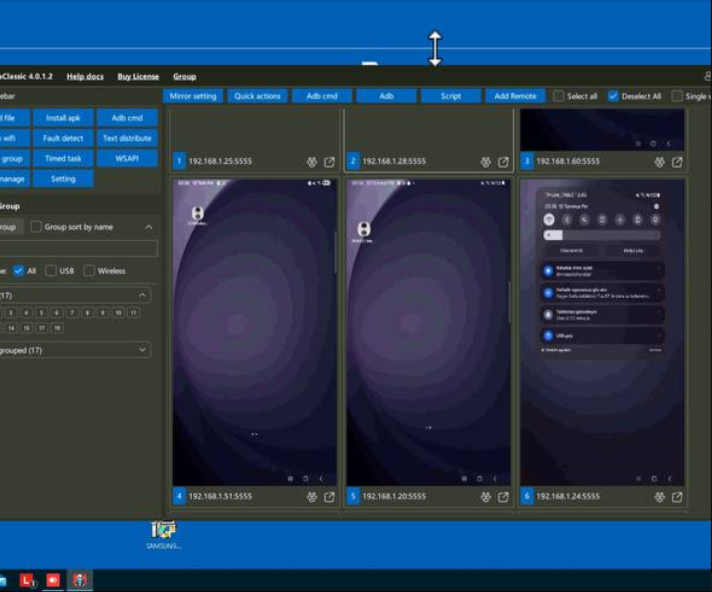
### 3.Panda Classic main window has a transparent border at the top, and the click position is incorrect.
Open the directory where the program is located and run it through "PandaClassic (GPU Compatibility Mode)"
### 4.How to resolve errors returned by Panda Classic server
Solutionownload the serveraddr.zip file, extract it, and then move or copy it to the Panda Classic installation directory.
{% file src="/files/BTGxHFiKAfLm1upnqcv6" %}
**Windows**
**Mac OS**
### 5.How to use the copy and paste function
Right-click, click Install QuickIME, and then enable it.
Enable these two options in the Panda Classic version settings, then restart the Panda Classic software.